> For the complete documentation index, see [llms.txt](https://docs.chatalog.ai/llms.txt). Markdown versions of documentation pages are available by appending `.md` to page URLs; this page is available as [Markdown](https://docs.chatalog.ai/contact-setup/custom-fields.md).
# Custom Fields
Custom fields are additional data points you can add to store information beyond the standard fields in Chatalog. They help you track specific information relevant to your business needs.
### Create a custom field
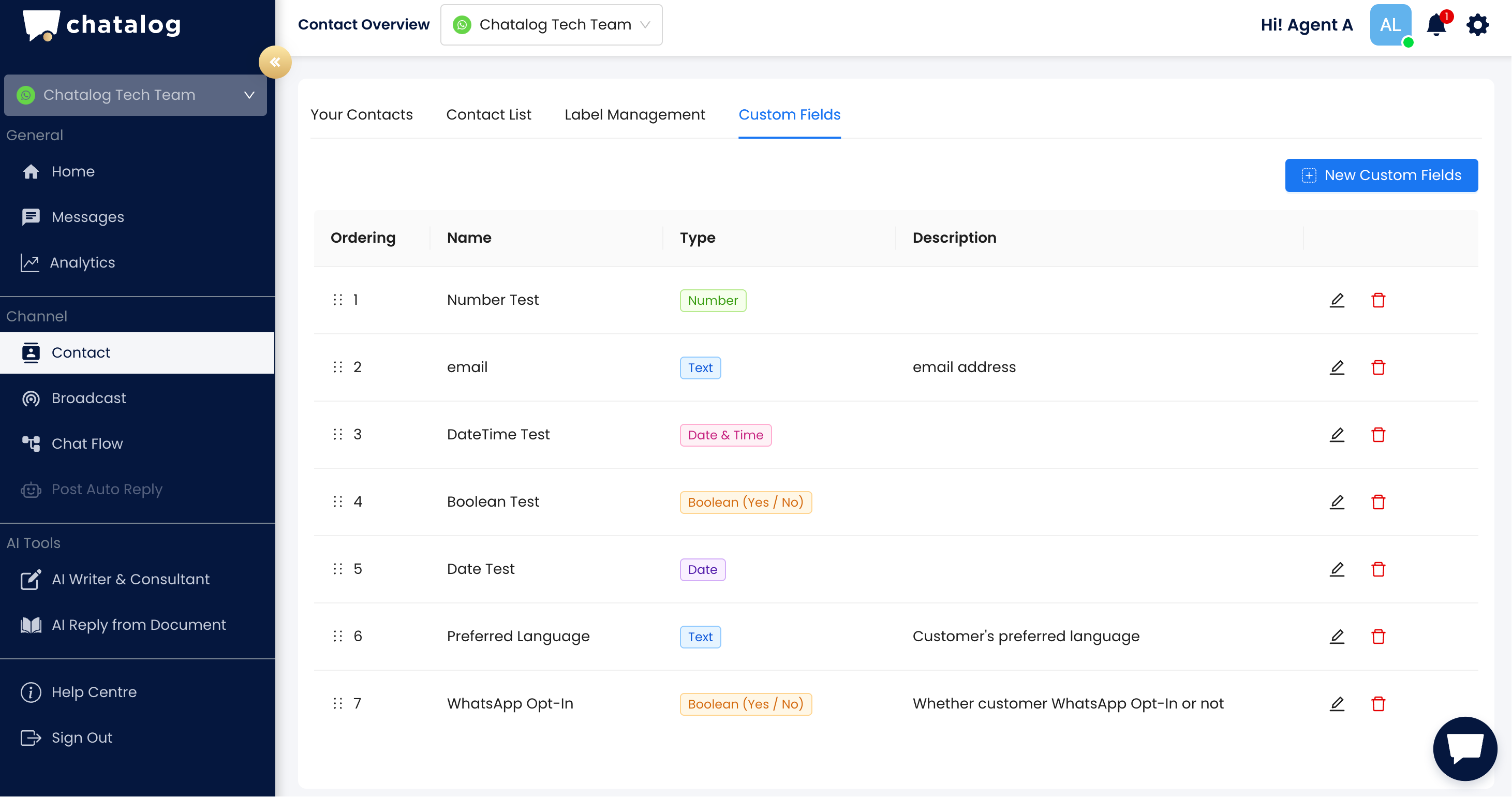
Navigate to Contact > Custom Fields, and click the "New Custom Fields" button on the top right.
Enter the name, type, and description of the new custom field, and click the "Save" icon.
Chatalog supports various types of custom fields to accommodate different data needs:
* Text Fields: For storing names, descriptions, or other text-based information
* Number Fields: For storing numerical values like IDs, amounts, phone numbers, or quantities
* Date Fields: For storing important dates related to your contacts
* Date & Time Fields: For storing both date and time information for scheduling and time-sensitive data
* Boolean Fields: For yes/no values
### Manage custom fields
You can click the icon to edit the description or delete existing custom fields.
Drag and drop to customize the order in which custom fields appear on the message page, organizing information in a way that makes sense for your team.
### Using custom fields
You can use custom fields in flow blocks, including message blocks, condition funnels, and other blocks with custom field functions.
{% content-ref url="/pages/0RIdlpusrIgEeTXiXL9M" %}
[Custom Field and User Input Setup in Flow](/crm-quickstarts/customized-flow/custom-field-and-user-input-setup-in-flow.md)
{% endcontent-ref %}
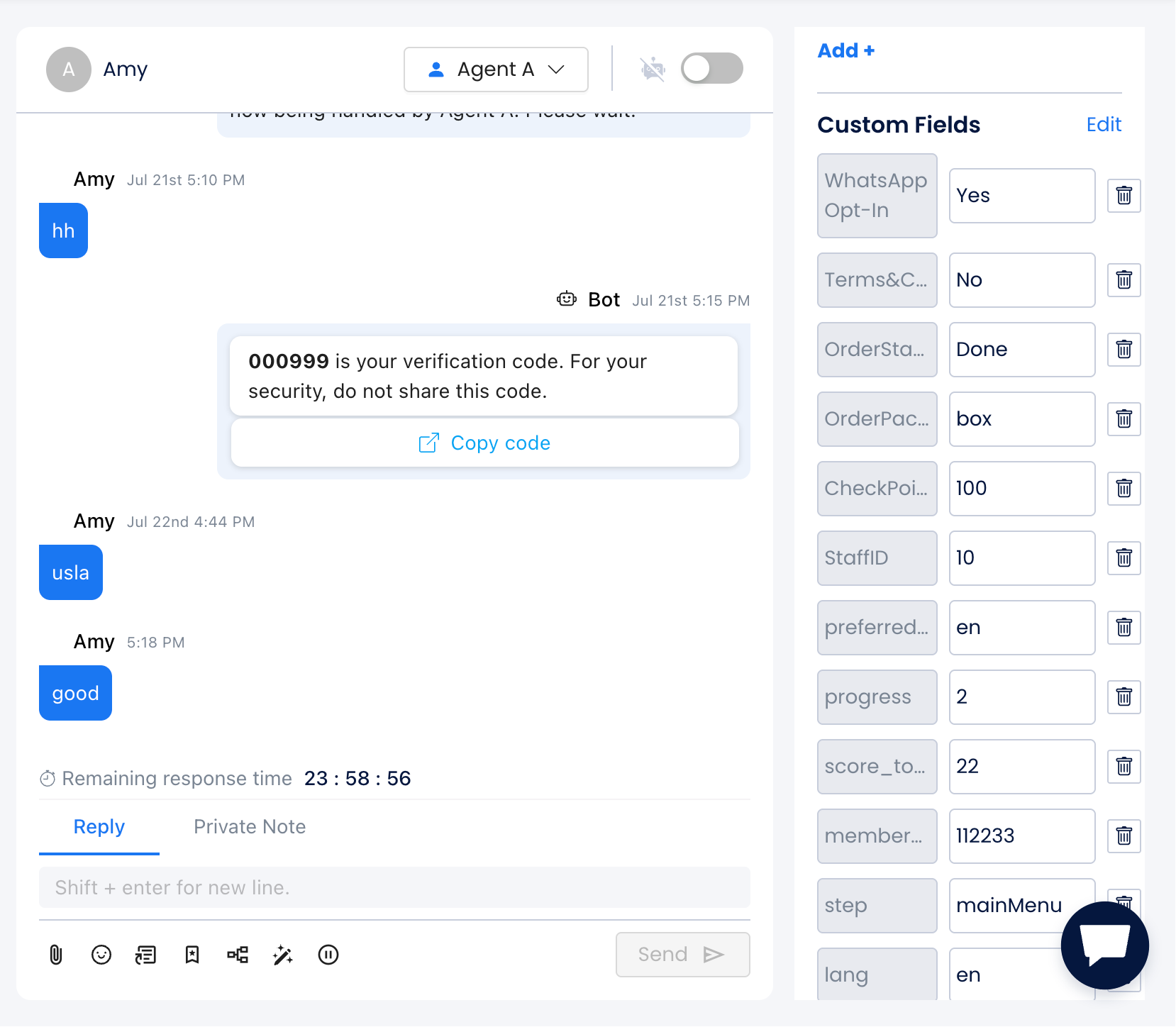
You can also view and manage custom fields for specific contacts in the message page and contact info page.