# 管理機器人

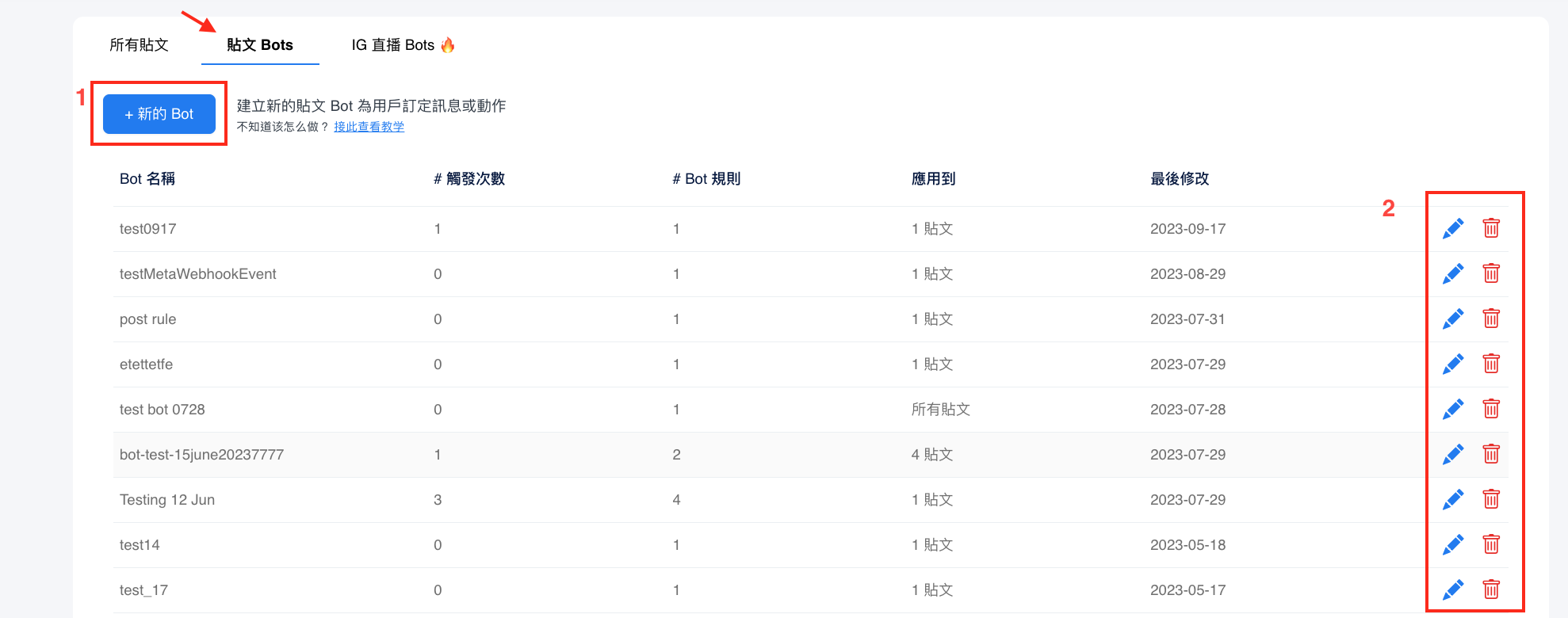
你可以透過"<mark style="color:blue;">**貼文Bots**</mark>"頁籤查看所有機械人。如需新增機械人，**步驟 1** 點擊加號圖標。**步驟 2**你亦可查看、 修改或刪除現有的機械人。

<figure><img src="/files/iDRJaCsFXXXfsysZ63We" alt=""><figcaption></figcaption></figure>

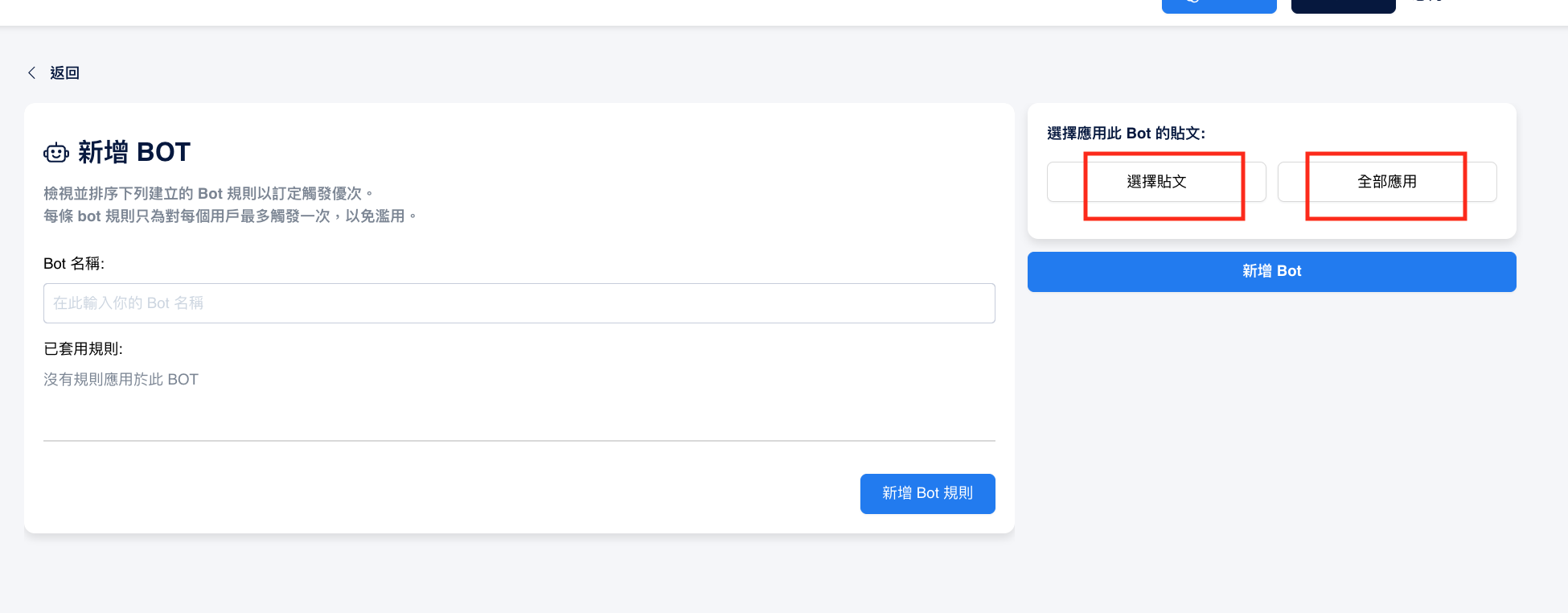
如果你由"**貼文Bots**"頁籤建立機械人，可見在多一&#x884C;***選擇應用此 bot 的貼文***。

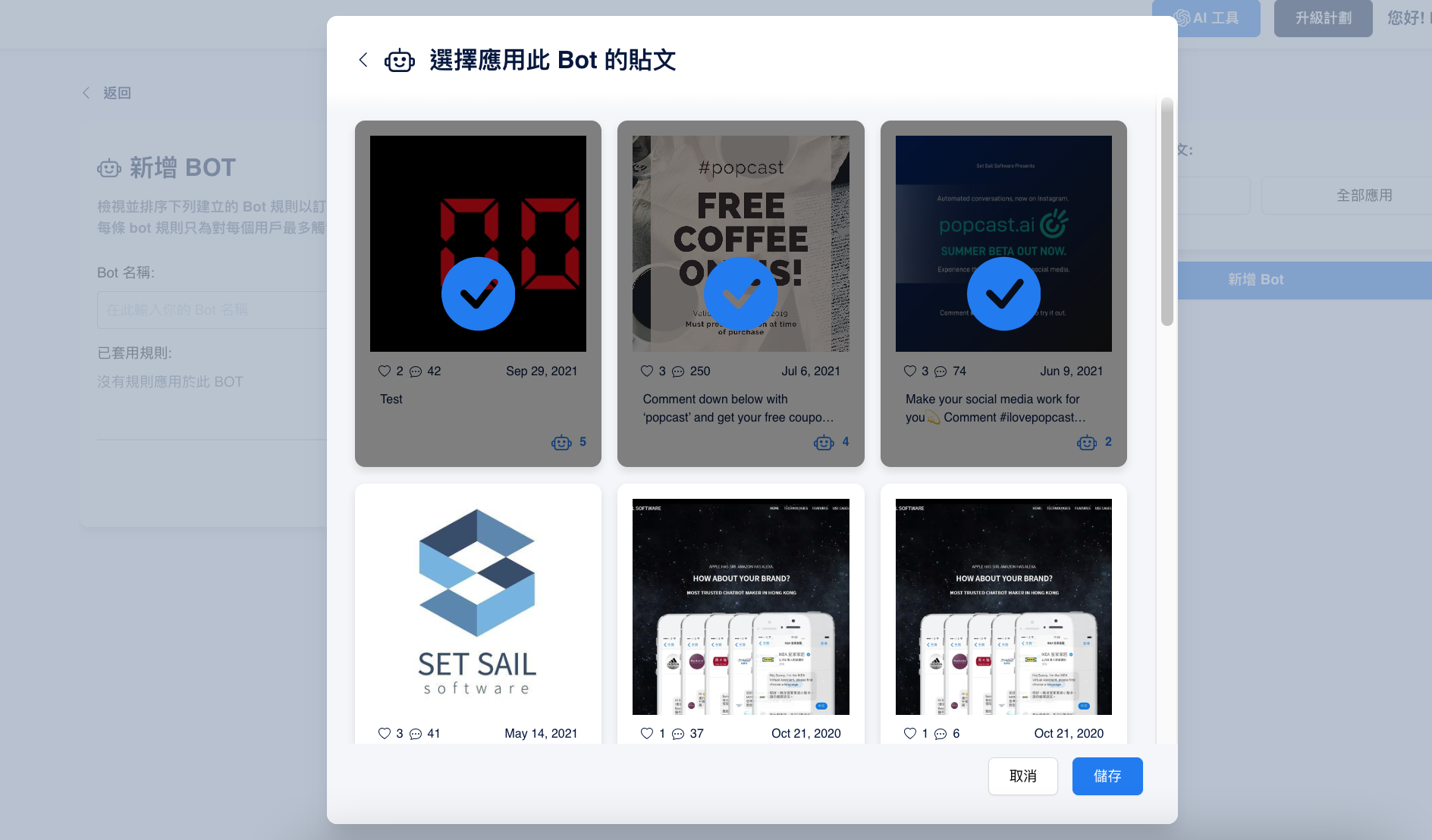
選取 "**選擇貼文**"，你可以選擇一個到多個應用機械人的貼文。

選取 "**全部應用**" 則可使所有貼文皆應用此機械人。
<figure><img src="/files/rOJRSGjP79WWyeMS6or1" alt=""><figcaption></figcaption></figure>

<figure><img src="/files/elMoz5QdvIC0qaCDEdMh" alt=""><figcaption><p>可以選擇應用到一個到多個應用機械人的貼文</p></figcaption></figure>


---

# Agent Instructions: Querying This Documentation

If you need additional information that is not directly available in this page, you can query the documentation dynamically by asking a question.

Perform an HTTP GET request on the current page URL with the `ask` query parameter:

```
GET https://docs.chatalog.ai/zh-hk/post-autoreply/tie-wen-zi-dong-hui-fu-post-auto-reply/guan-li-ji-qi-ren.md?ask=<question>
```

The question should be specific, self-contained, and written in natural language.
The response will contain a direct answer to the question and relevant excerpts and sources from the documentation.

Use this mechanism when the answer is not explicitly present in the current page, you need clarification or additional context, or you want to retrieve related documentation sections.