> For the complete documentation index, see [llms.txt](https://docs.chatalog.ai/llms.txt). Markdown versions of documentation pages are available by appending `.md` to page URLs; this page is available as [Markdown](https://docs.chatalog.ai/zh-hk/contact-setup/label-management.md).
# 標記管理
在標記管理頁你可以新增以不同顏色分類的標記,用以區分聯絡人的特性。你便可以更易處理這些客戶的問題,又或僅向帶有某些標記的聯絡人發放廣播信息。
## **建立新標籤**
1. 前往 聯絡人 > 標籤管理
2. 點擊 “創建標籤”
3. 輸入所需的標籤名稱
4. 選擇標籤的顏色
5. 點擊 “創建” 按鈕

 在「標籤管理」頁面上,您也可以搜尋特定標籤/編輯標籤名稱/新增或刪除標籤
 您可以輕鬆更新現有的聯絡人標籤:
1. 前往“聯繫⼈> 標籤管理”
2. 找到您想要更新的標籤
3. 點擊鉛筆圖標
4. 根據需要更新標籤的名稱或顏色。
5. 點擊“儲存”以應用您的更改。
## 使用流程以加入或刪除標記
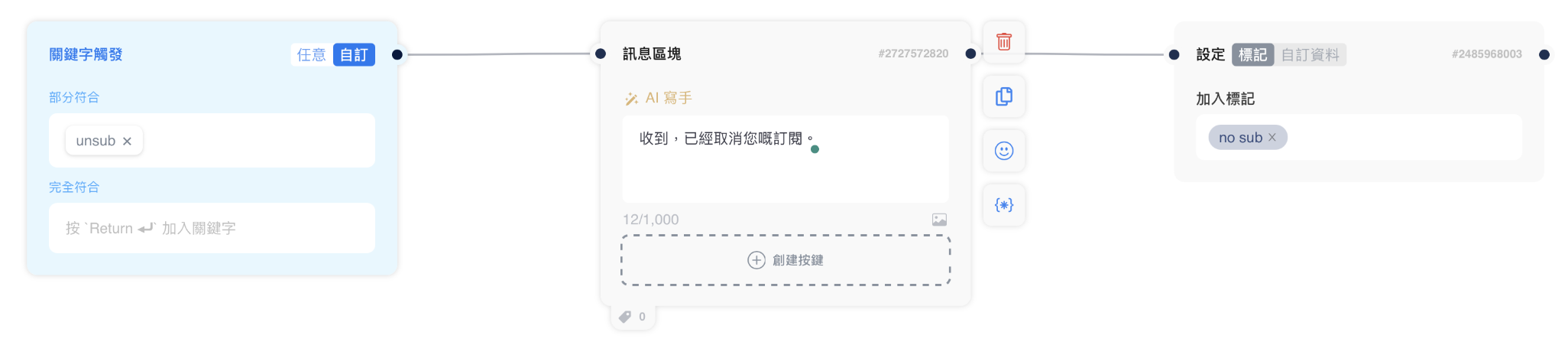
您可以通過對話中的流程添加或刪除標記。如要添加標記,您可以使用區塊“設定標記/自訂資料”,在對話中以合適的關鍵字來加入標記。 您還可以使用訊息區塊向顧客留言,並同時添加標記。 示例如下。
您可以輕鬆更新現有的聯絡人標籤:
1. 前往“聯繫⼈> 標籤管理”
2. 找到您想要更新的標籤
3. 點擊鉛筆圖標
4. 根據需要更新標籤的名稱或顏色。
5. 點擊“儲存”以應用您的更改。
## 使用流程以加入或刪除標記
您可以通過對話中的流程添加或刪除標記。如要添加標記,您可以使用區塊“設定標記/自訂資料”,在對話中以合適的關鍵字來加入標記。 您還可以使用訊息區塊向顧客留言,並同時添加標記。 示例如下。
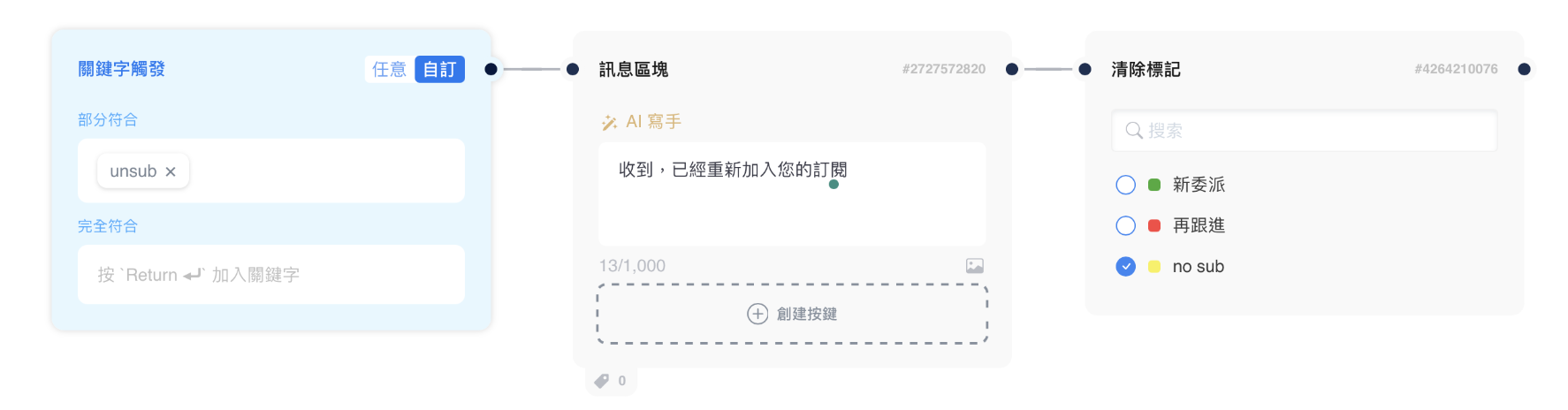
 要刪除標記,您可以使用區塊“清除標記”以使用關鍵字刪除不必要的標記。 您還可以使用訊息區塊向顧客留言,並同時刪除標記。示例如下。
 ## 訊息頁面的標記
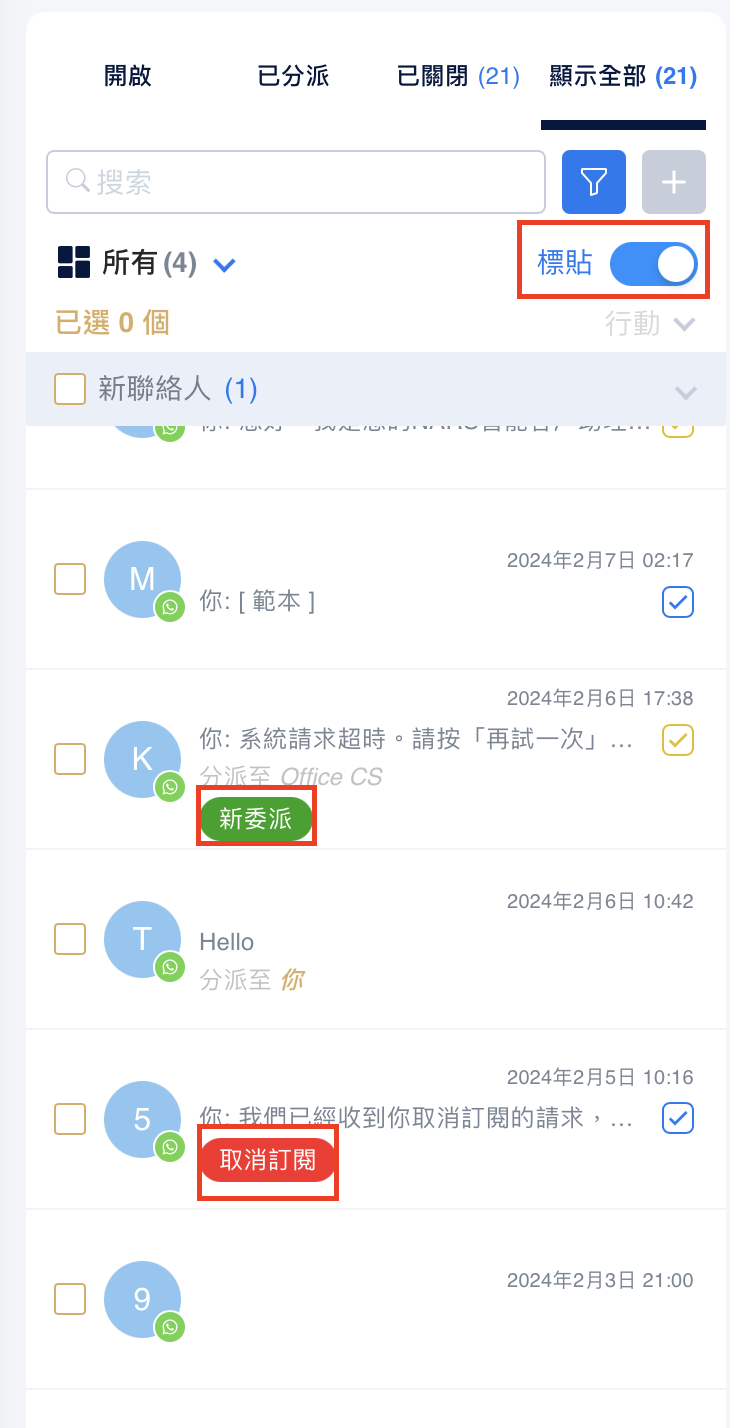
對於已經添加的標記,打開消息頁面上的標記按鈕,就可以在收件匣列表中看到它們。
## 訊息頁面的標記
對於已經添加的標記,打開消息頁面上的標記按鈕,就可以在收件匣列表中看到它們。