# 對話和回覆

點擊進入對話後，您可以查看與該聯絡人的完整對話記錄。

### 更改會話狀態

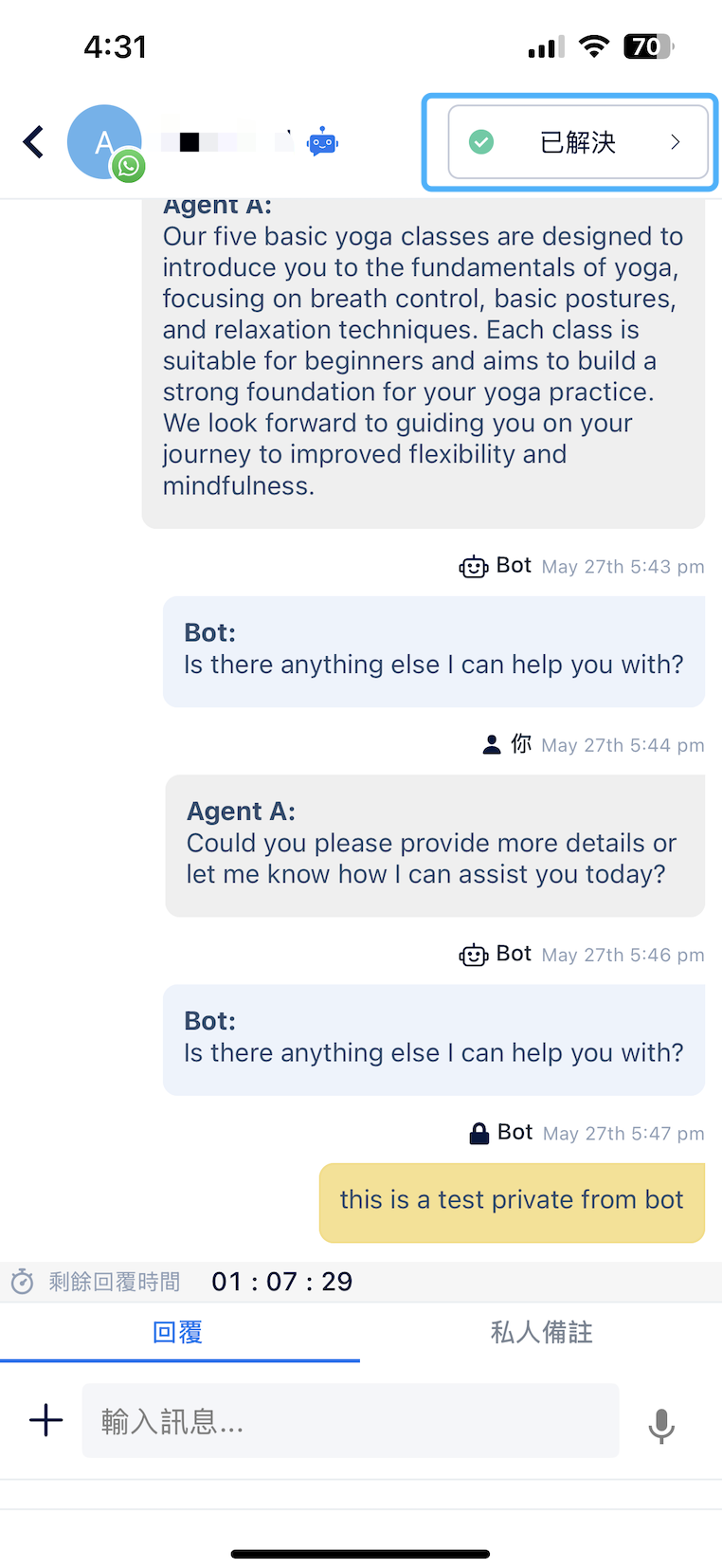
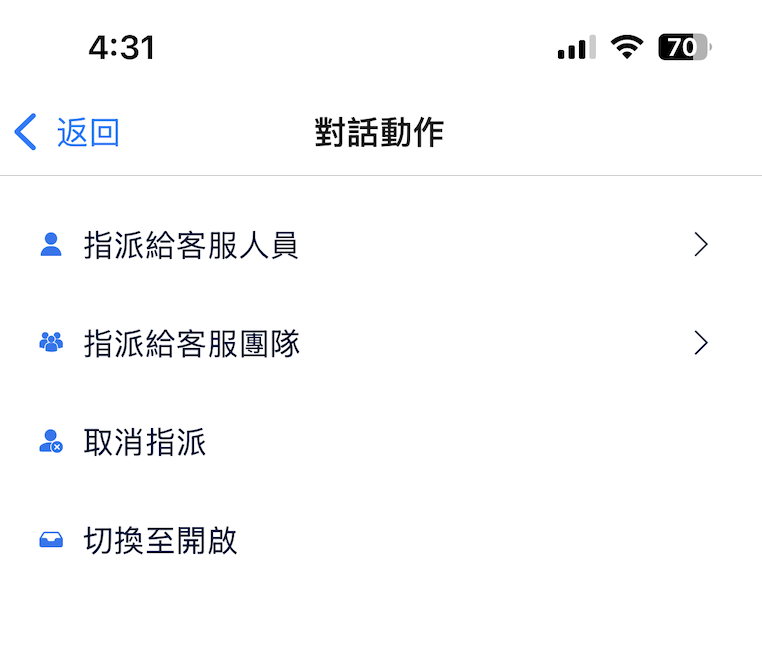
點擊右上角的操作菜單來更新會話狀態。您可以將會話指派給特定的客服人員/團隊，或將其更改為"開放"/"已解決"/"取消指派"狀態。

<figure><img src="/files/wU0i72MLNtZfUCMxVfcO" alt="" width="188"><figcaption></figcaption></figure>

<figure><img src="/files/e1sgB6uku8NplaQwiC4v" alt="" width="188"><figcaption></figcaption></figure>

### 回覆訊息&#x20;

<figure><img src="/files/jTnGfm88e1baaTaT99CT" alt="" width="188"><figcaption></figcaption></figure>

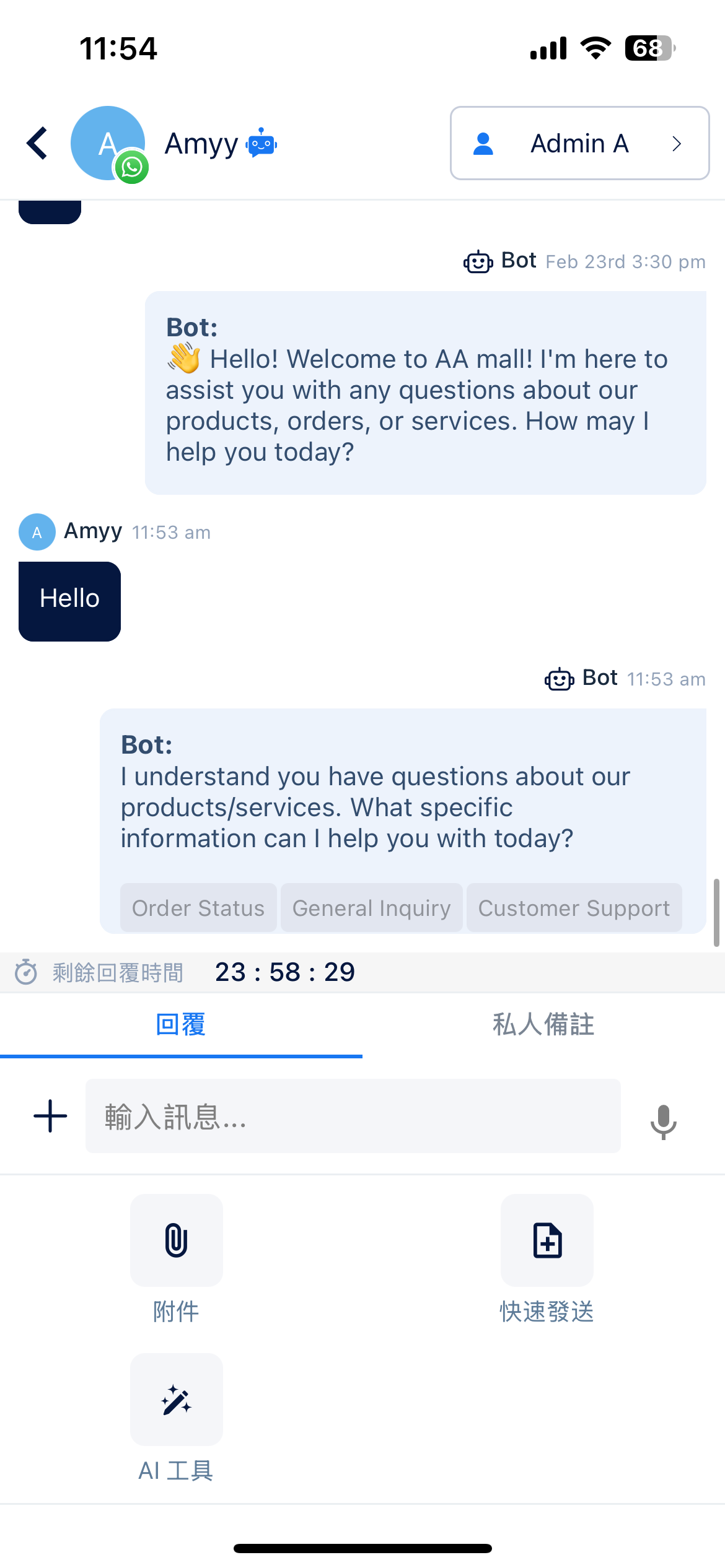
在編輯區直接輸入訊息，或點擊"+"發送附件或選擇快速發送。

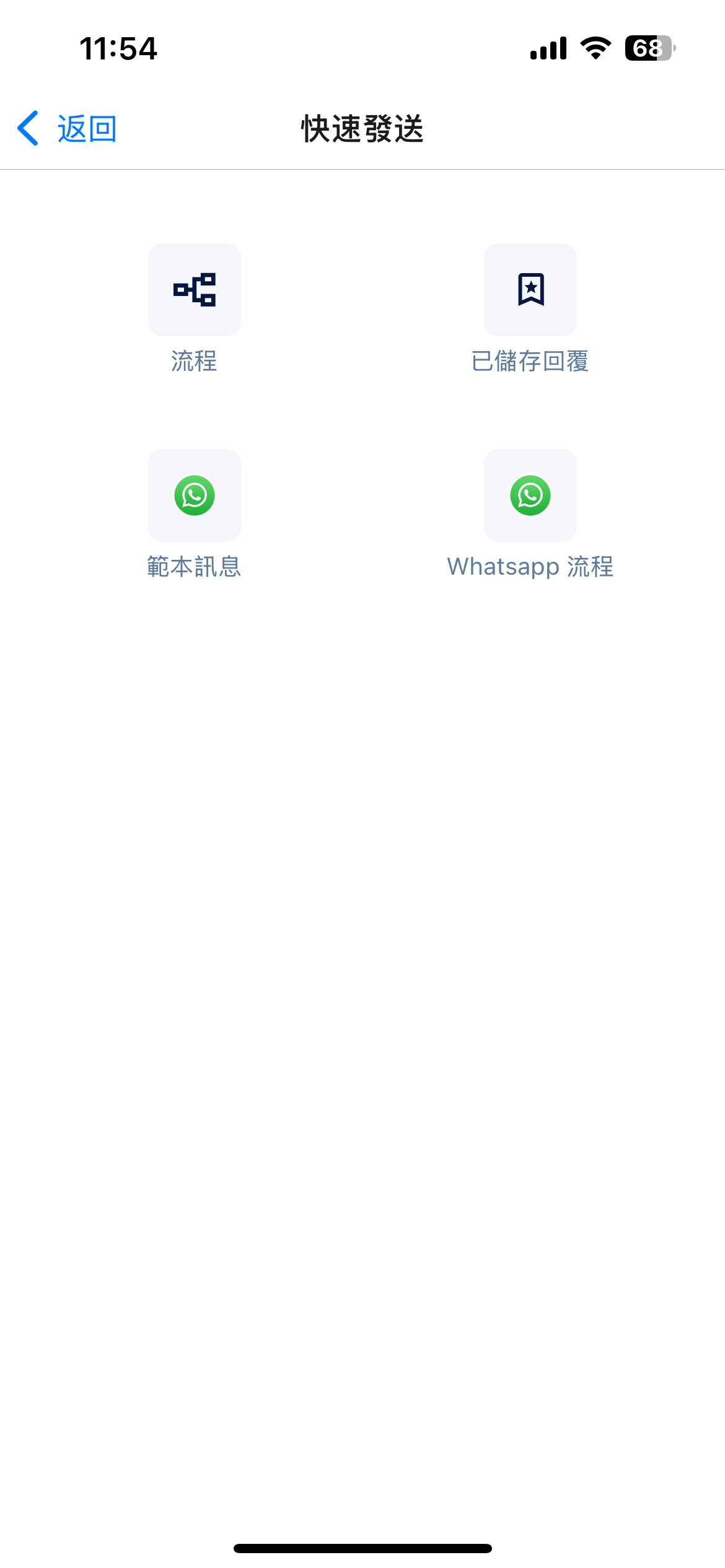
您可以在快速發送中，選擇發送流程，已儲存回覆。WhatsApp收件匣也可以發送範本訊息和WhatsApp流程。

<figure><img src="/files/Ffw7hdUbiGCm2CrlHpun" alt="" width="188"><figcaption></figcaption></figure>

在手機應用程式中，您還可以使用AI工具進行AI寫手或AI文檔回覆。

關於如何使用AI工具，請參考功能相似的網頁版本：

{% content-ref url="/pages/wzS4NDQaHBSsmHSRGrQ5" %}
[AI 工具 - AI 寫手 & 文件回覆](/zh-hk/ai-tools/ai-tools/ai-tools-ai-writer-and-doc-reply.md)
{% endcontent-ref %}

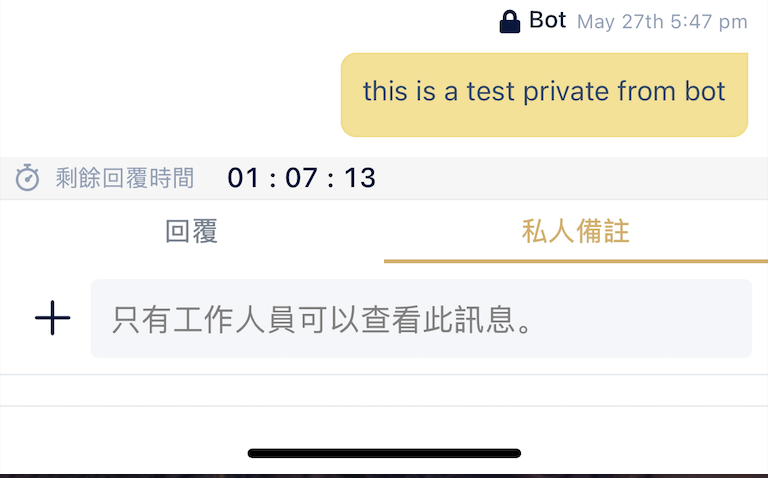
### 發送私人備註&#x20;

切換到私人備註頁籤，發送僅對同事可見的內部備註。

<figure><img src="/files/jABt0nqB7BBBJniCQIxU" alt="" width="188"><figcaption></figcaption></figure>


---

# Agent Instructions: Querying This Documentation

If you need additional information that is not directly available in this page, you can query the documentation dynamically by asking a question.

Perform an HTTP GET request on the current page URL with the `ask` query parameter:

```
GET https://docs.chatalog.ai/zh-hk/chatalog_mobile_app/conversations_and_responses.md?ask=<question>
```

The question should be specific, self-contained, and written in natural language.
The response will contain a direct answer to the question and relevant excerpts and sources from the documentation.

Use this mechanism when the answer is not explicitly present in the current page, you need clarification or additional context, or you want to retrieve related documentation sections.