# 新增或匯入聯絡人列表以進行廣播訊息

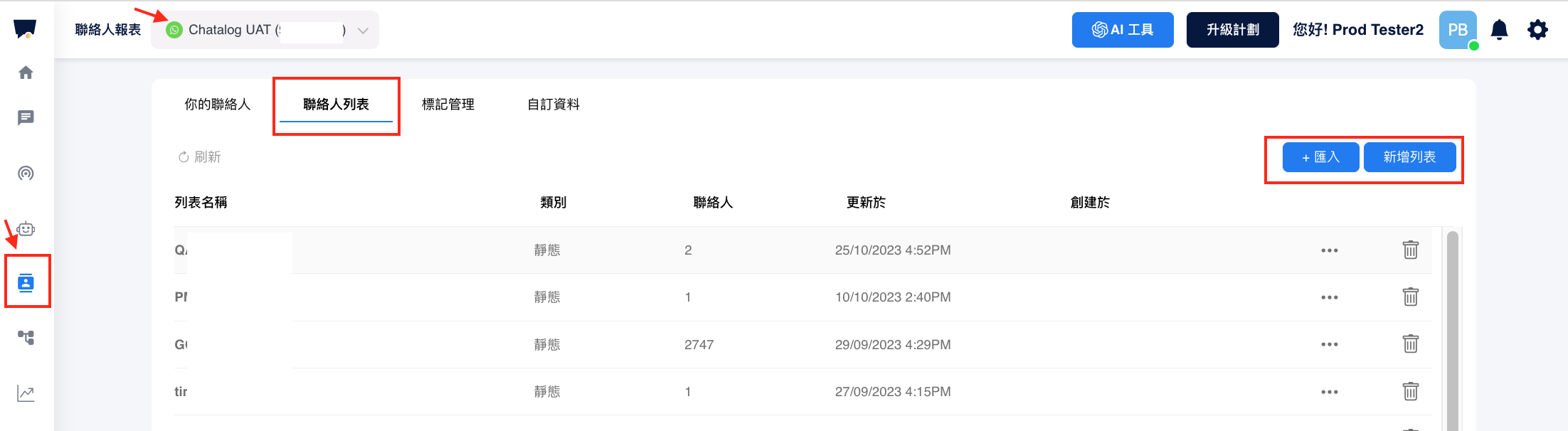
進入聯絡人頁面，點選“聯絡人列表”，選擇匯入或新增列表。

<figure><img src="/files/Y3EdGKcwbMO8Ru4D21i2" alt=""><figcaption></figcaption></figure>

如何匯入聯絡人列表？&#x20;

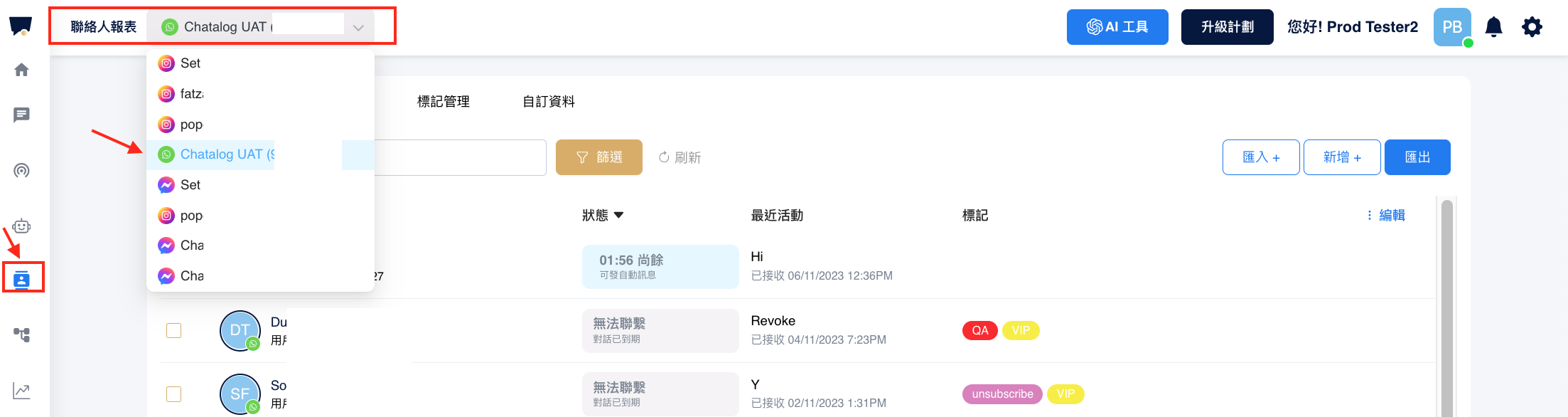
步驟 1，從下拉式選單選擇你已連接的 WhatsApp 帳號。

<figure><img src="/files/1Oo3jqNolIX4dJWHIVTu" alt=""><figcaption></figcaption></figure>

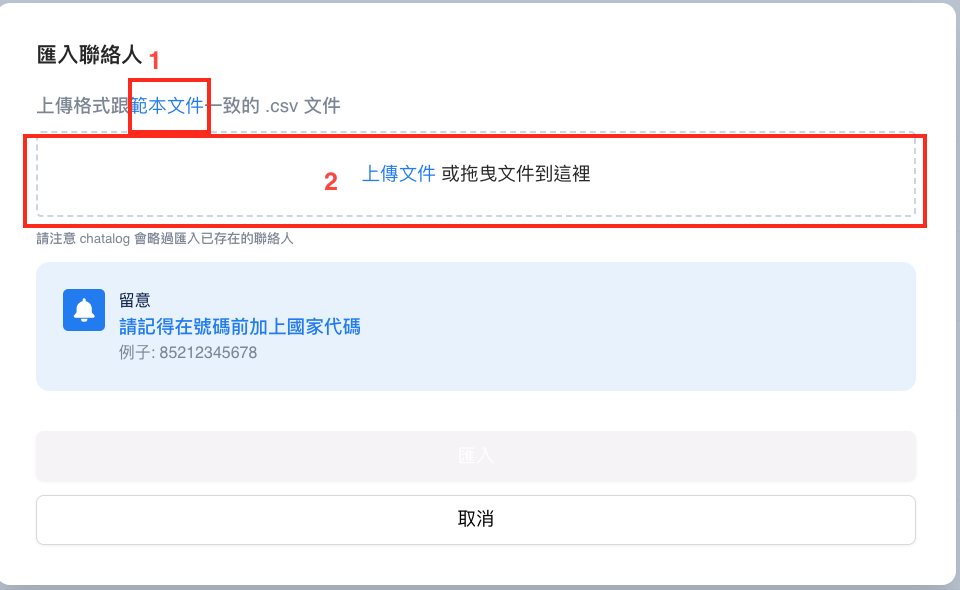
步驟2，點選右上&#x65B9;***匯入***&#x6309;鈕。

<figure><img src="/files/Gdp5wYNis0sYNxVlPYTt" alt=""><figcaption></figcaption></figure>

請注意，電話號碼必須包含國家代碼。 例如，如果國家代碼為 852，則號碼應為 85298765432。

{% embed url="<https://youtu.be/DKAcIiiPw9k>" %}

### 如何建立聯絡人列表？

{% embed url="<https://docs.chatalog.ai/v/zh-hk/crm-quickstarts/contact/contact-list-whatsapp>" %}


---

# Agent Instructions: Querying This Documentation

If you need additional information that is not directly available in this page, you can query the documentation dynamically by asking a question.

Perform an HTTP GET request on the current page URL with the `ask` query parameter:

```
GET https://docs.chatalog.ai/zh-hk/broadcast-setup/broadcast-whatsapp/create-or-import-a-contact-list-for-broadcast.md?ask=<question>
```

The question should be specific, self-contained, and written in natural language.
The response will contain a direct answer to the question and relevant excerpts and sources from the documentation.

Use this mechanism when the answer is not explicitly present in the current page, you need clarification or additional context, or you want to retrieve related documentation sections.