# 用户状态

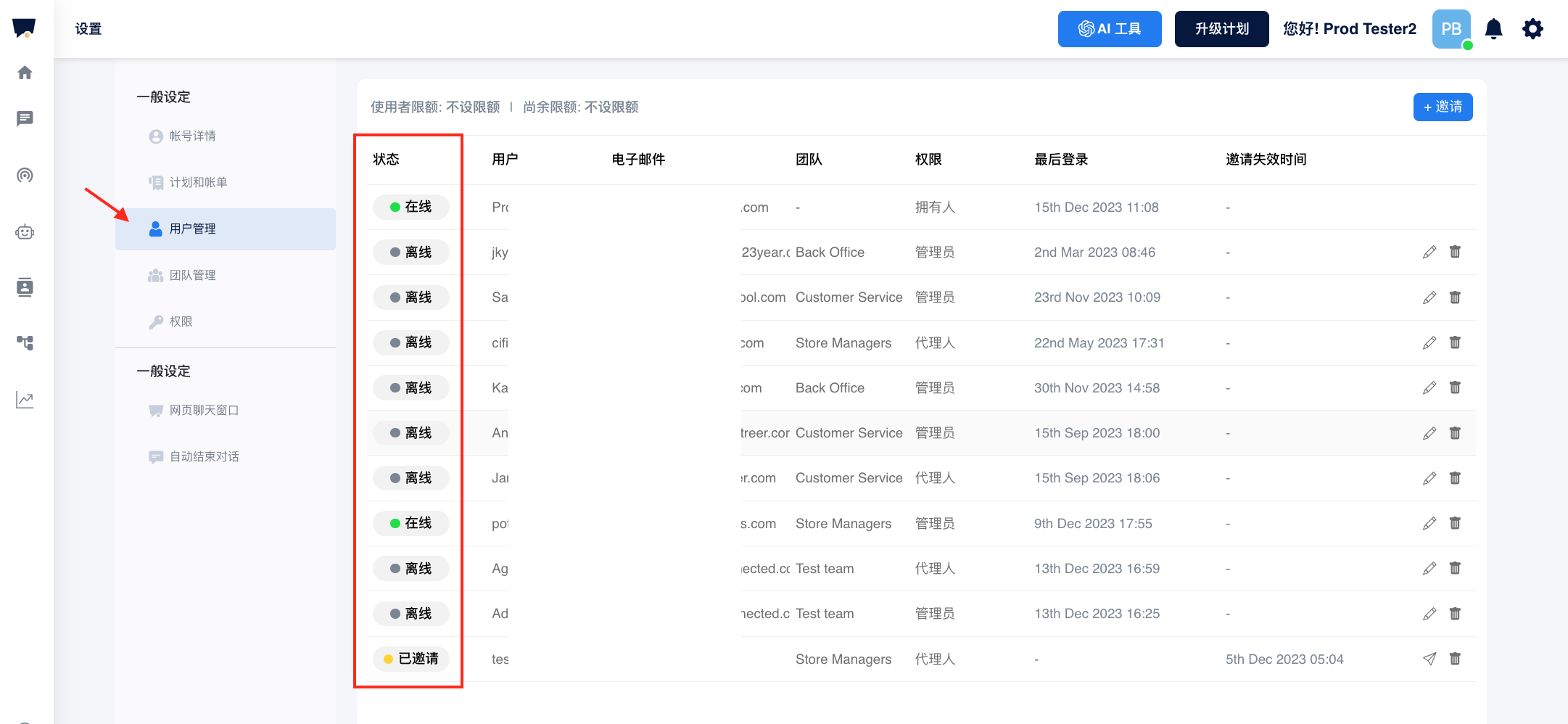
Chatalog 有四种用户状态：**在线/离开/离线/已邀請**。

<figure><img src="/files/wUQ23hC6jzJGZsdxur67" alt=""><figcaption></figcaption></figure>

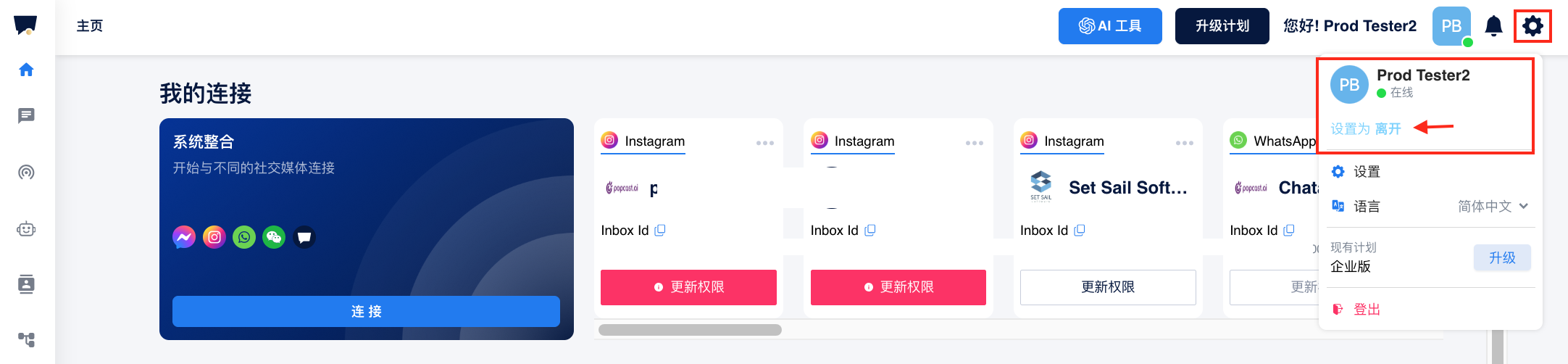
您可以单击**设置**图标。 它将显示您帐户的当前用户状态。 单击“设置为**离开**”或“设置为**在线**”以切换您的状态。&#x20;

如果您超过 10 分钟没有 Chatalog 中执行任何操作，您的状态将自动更改为**离开**。 一旦有任何操作，状态将自动切换为**在线**。&#x20;

此外，您还可以在设置页面上找到所有团队成员的用户状态。

<figure><img src="/files/8VHpd24Ebe80aQyLj3ZI" alt=""><figcaption></figcaption></figure>

当你注销或关闭 Chatalog ，你的状态将为**离线**。&#x20;

如果状态显示“**已邀请**”，则表示用户尚未接受在Chatalog 中加入你的团队邀请。 你可以单击发送图标重新发送邀请。

---

# Agent Instructions: Querying This Documentation

If you need additional information that is not directly available in this page, you can query the documentation dynamically by asking a question.

Perform an HTTP GET request on the current page URL with the `ask` query parameter:

```
GET https://docs.chatalog.ai/zh-cn/settings/user-management/yong-hu-zhuang-tai.md?ask=<question>
```

The question should be specific, self-contained, and written in natural language.
The response will contain a direct answer to the question and relevant excerpts and sources from the documentation.

Use this mechanism when the answer is not explicitly present in the current page, you need clarification or additional context, or you want to retrieve related documentation sections.