# 语音转文字

{% hint style="info" %}
语音转文字功能需要额外付费。有关详细的价格信息以及启用此功能，请随时联系我们的销售团队。
{% endhint %}

语音转文字功能可自动将选定收件箱中的传入音频消息转换为文本。这使对话更容易跟踪，并允许在检测到转录文本中的特定关键词时触发自动化流程。

### **启用功能**

<figure><img src="/files/ZfJXq99x9XIOcgVtECSs" alt=""><figcaption></figcaption></figure>

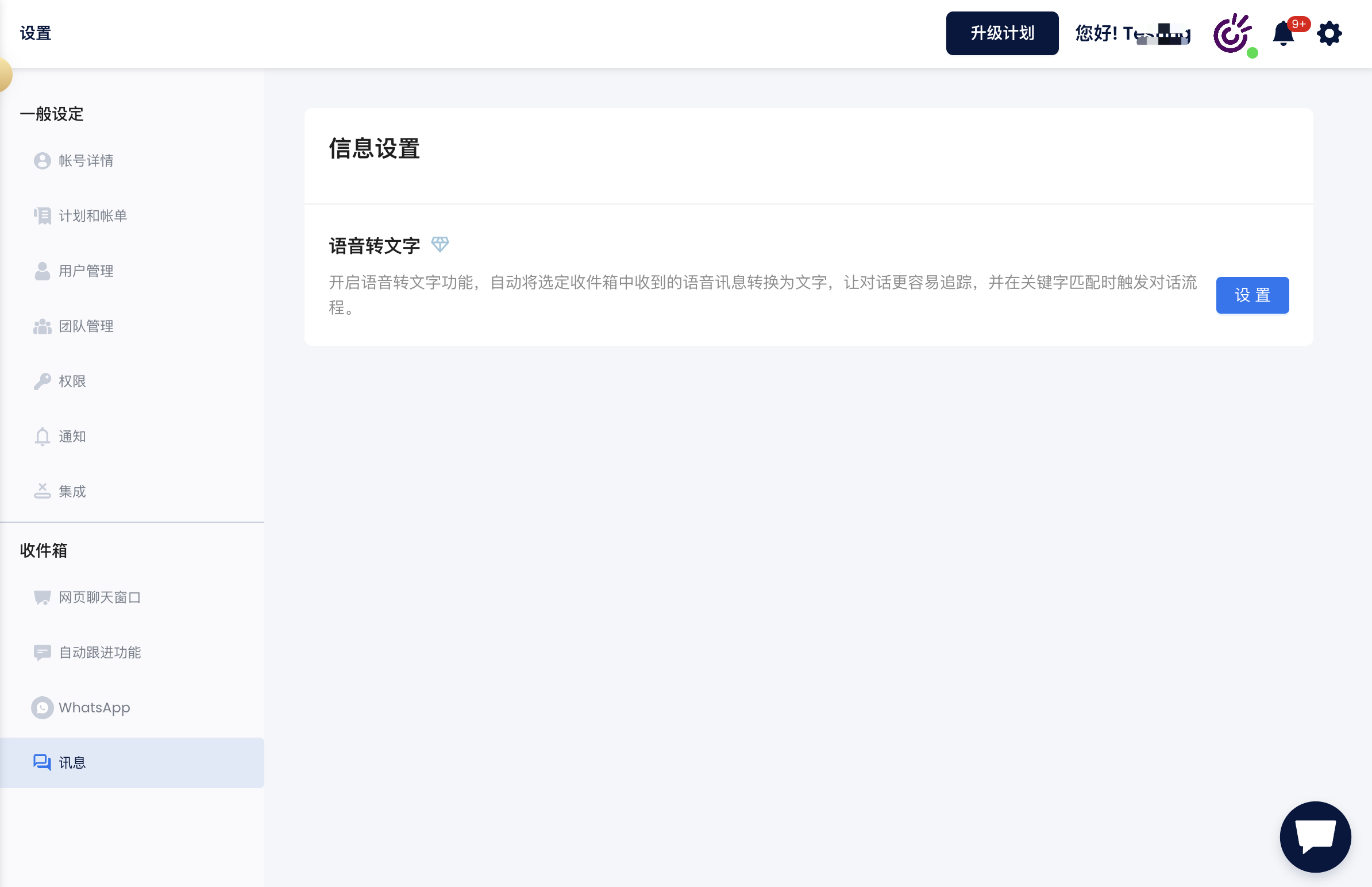
组织所有者可以通过以下步骤启用语音转文字功能：

* 导航至您账户中的**设置**页面。
* 找到**消息** > **语音转文字**选项。
* 点击设置按钮并选择您想要启用此功能的收件箱。

### 如何运作

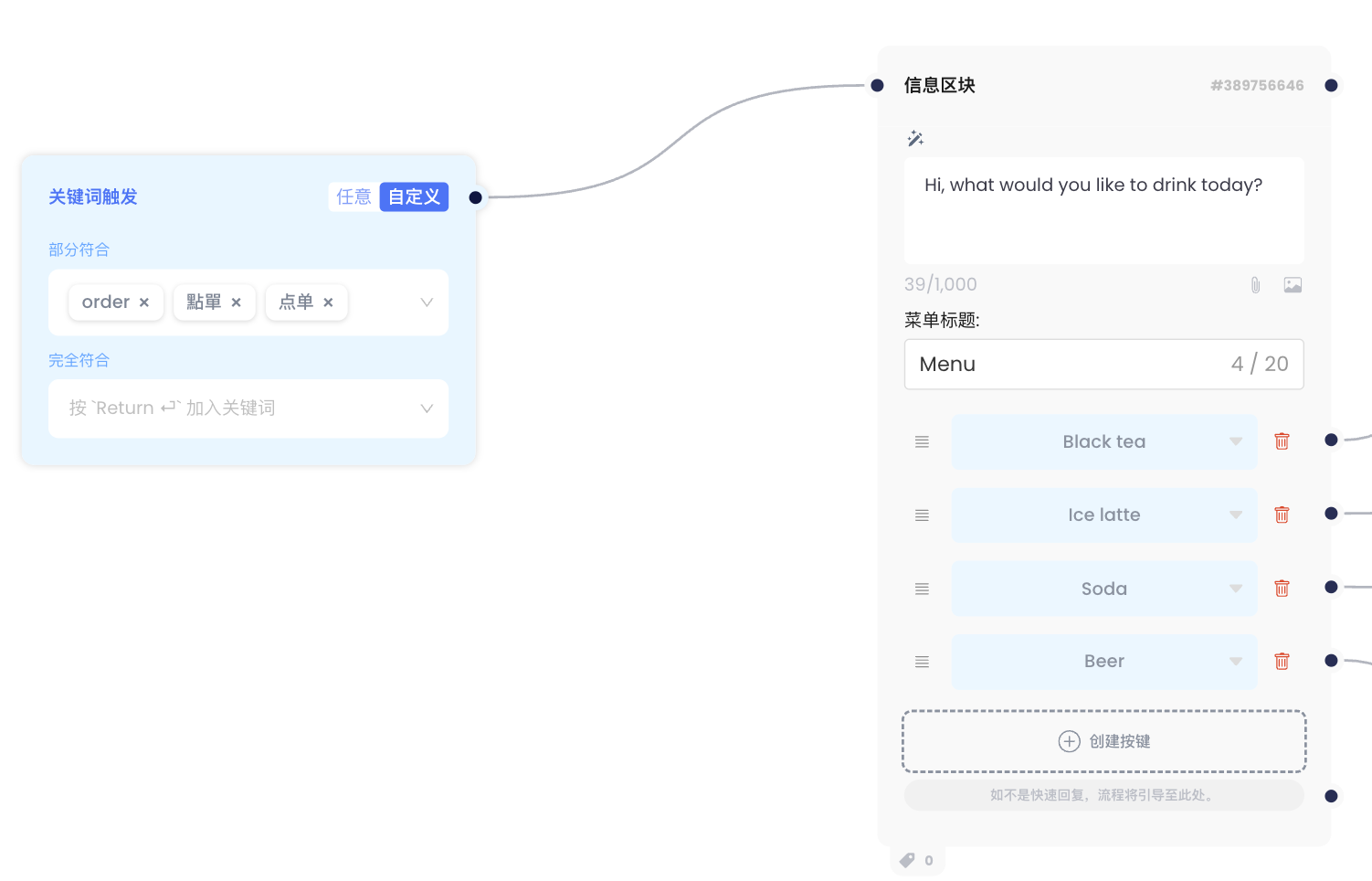
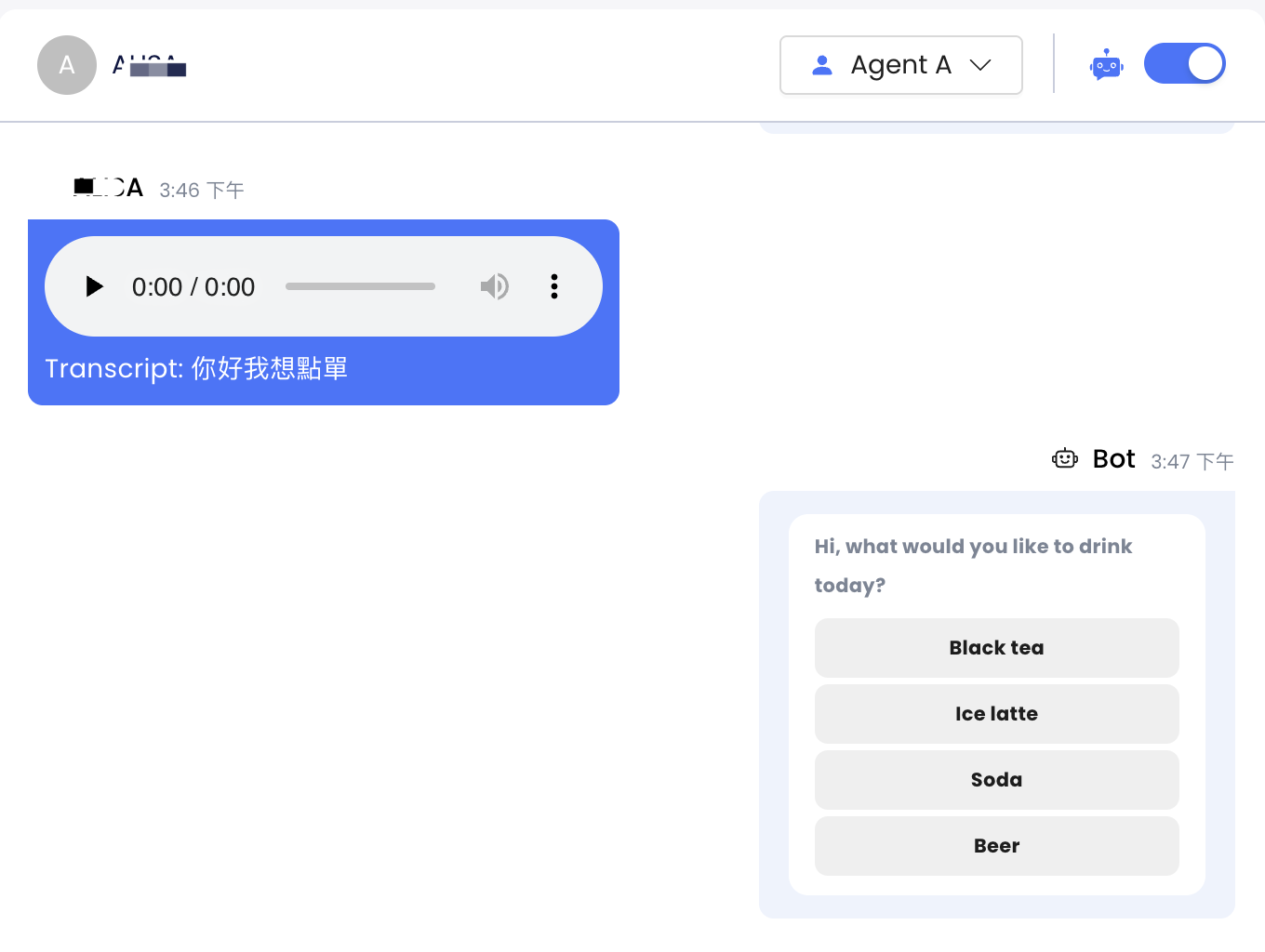
所有者启用此功能后，传入的语音消息会自动转换为文本。如果文本内容与预设流程中的关键词匹配，将触发相应的流程。

<figure><img src="/files/Tm3gSnlAQrG4upfL0EQU" alt=""><figcaption></figcaption></figure>

<figure><img src="/files/e2Qc1ZCFJpwEOrItAC1f" alt=""><figcaption></figcaption></figure>


---

# Agent Instructions: Querying This Documentation

If you need additional information that is not directly available in this page, you can query the documentation dynamically by asking a question.

Perform an HTTP GET request on the current page URL with the `ask` query parameter:

```
GET https://docs.chatalog.ai/zh-cn/settings/speech-to-text.md?ask=<question>
```

The question should be specific, self-contained, and written in natural language.
The response will contain a direct answer to the question and relevant excerpts and sources from the documentation.

Use this mechanism when the answer is not explicitly present in the current page, you need clarification or additional context, or you want to retrieve related documentation sections.