# 指派对话

指派对话分为两种：**基本指派** 和 **进阶指派**。

### **基本指派对话**

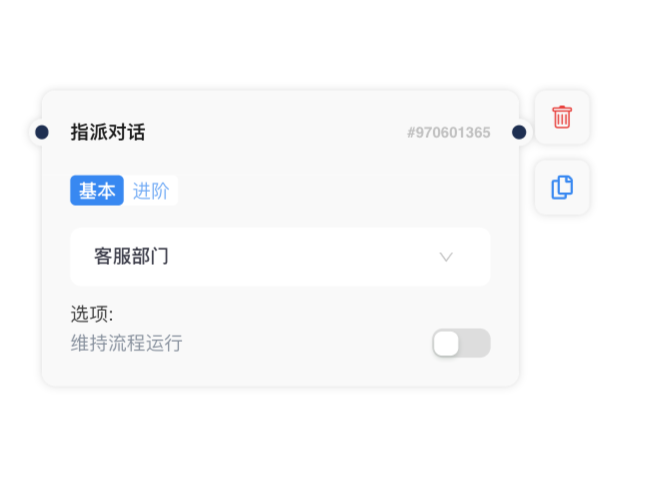
通过基本指派对话，您可以选择特定的团队或代理人来处理对话。 对话将自动指派给您选择的团队或代理人。

<div><figure><img src="/files/7EncsLCtrK6ODT5yKZv4" alt=""><figcaption></figcaption></figure> <figure><img src="/files/Vn7TqSNJ4DNh8GVUCQcH" alt=""><figcaption></figcaption></figure></div>

### **进阶指派对话**

通过进阶指派，您可以设置团队和代理人状态（在线/离开/离线），根据进阶指派规则自动分配新对话。 对话将分配给当时团队中分配对话最少的代理人，以确保高效率的客戶服务。

<figure><img src="/files/P22sJgBv3pN3w6FjM6Yk" alt="" width="510"><figcaption></figcaption></figure>

步骤1：选择团队。 您可以在设置页面管理您的团队和团队成员。&#x20;

步骤2：选择代理人状态：在线、离开、离线。 您可以选择多种状态。&#x20;

步骤3：选择额外分配的规则。 现在我们支持 “分配给分配对话次数最少的代理人”。&#x20;

步骤4：设置特殊情况下的解决方案。 例如 “如果根据上述条件没有找到代理人，则直接流向这里”，然后在后面连接一个自动回复的信息区块。

<figure><img src="/files/sWqNiK4AYV1Chjd8andc" alt=""><figcaption></figcaption></figure>

{% hint style="info" %} <img src="/files/YEzsku7Tj7rsJk4H79XN" alt="" data-size="original">

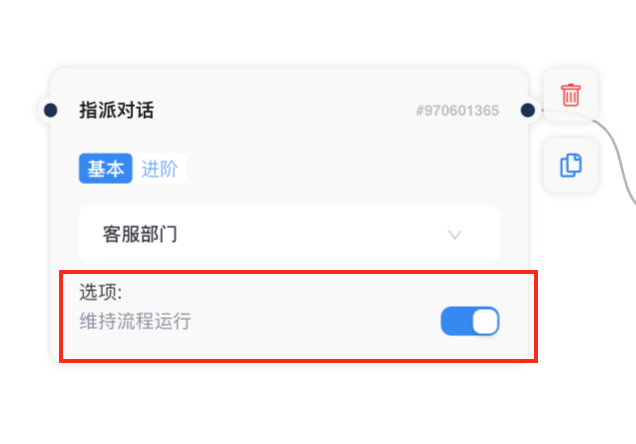
1. 关闭（默认状态）：当会话分配给代理人时，会话状态将更改为“分配给 xxx 团队/代理人/开放”，代理人将收到通知，提醒分配给他/她的会话。 在当前流程结束之前，将无法触发其他流程。
2. 开启：当将会话分配给代理人时，代理人将收到通知以提醒分配给他/她的会话。 对话可以保持“关闭”状态，继续维持流程运行，以便客户端仍然可以触发其他流程。
   {% endhint %}


---

# Agent Instructions: Querying This Documentation

If you need additional information that is not directly available in this page, you can query the documentation dynamically by asking a question.

Perform an HTTP GET request on the current page URL with the `ask` query parameter:

```
GET https://docs.chatalog.ai/zh-cn/crm-quickstarts/customized-flow/zhi-pai-dui-hua.md?ask=<question>
```

The question should be specific, self-contained, and written in natural language.
The response will contain a direct answer to the question and relevant excerpts and sources from the documentation.

Use this mechanism when the answer is not explicitly present in the current page, you need clarification or additional context, or you want to retrieve related documentation sections.