# 设置页面

<figure><img src="/files/etwbiP9Omhxv64XSX8CN" alt="" width="188"><figcaption></figcaption></figure>

### 个人资料设置&#x20;

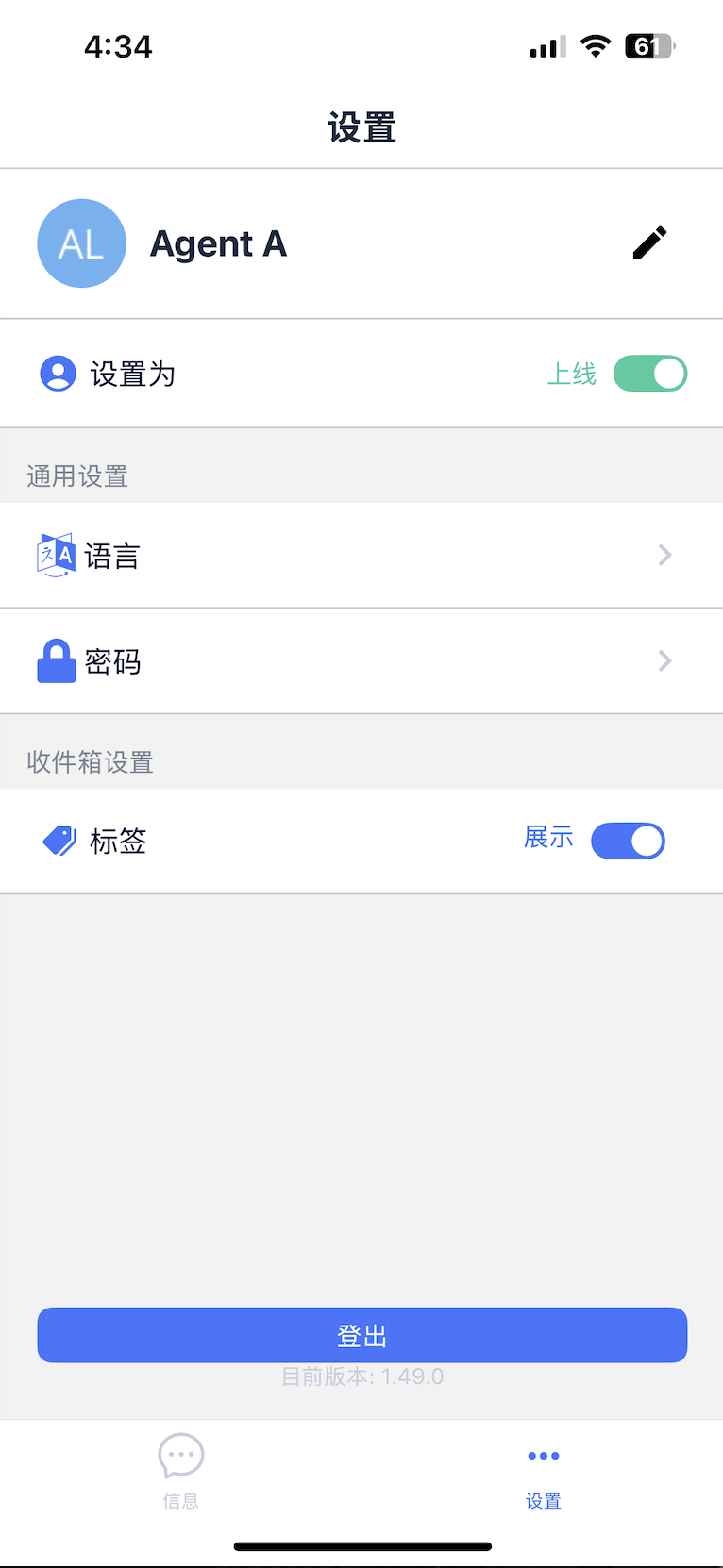
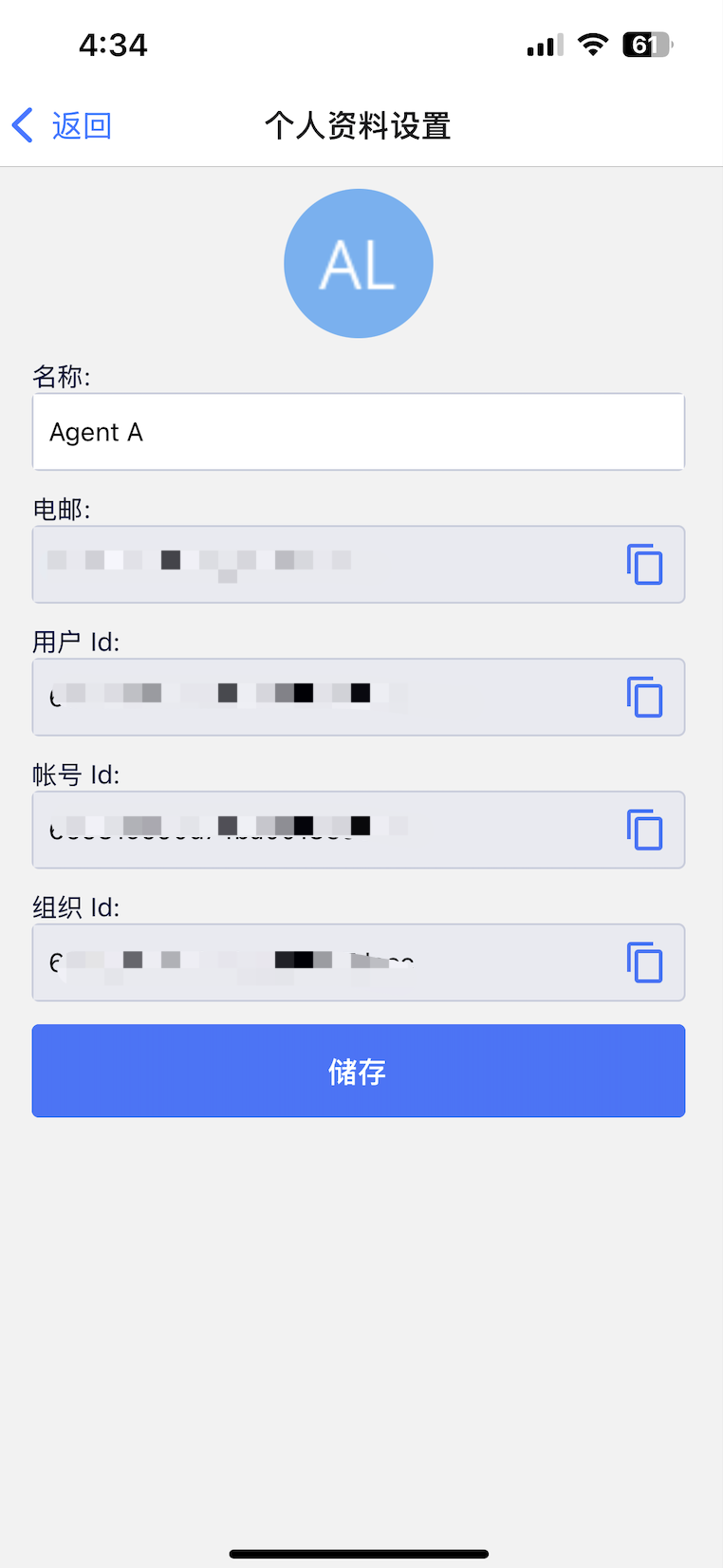
您可以点击编辑按钮并进入个人资料设置页面，查看和复制您的个人资料，包括邮箱、用户 ID、账户 ID 和组织 ID。您还可以在此页面编辑您的姓名。

<figure><img src="/files/tbSUIH99JCWyKZO6yr5P" alt="" width="188"><figcaption></figcaption></figure>

### 状态更改&#x20;

您可以将自己设置为"上线"或"离开"。

### 语言&#x20;

我们目前支持英文、繁体中文和简体中文。

### 密码

&#x20;管理和重置您的密码。

### 标签展示切换&#x20;

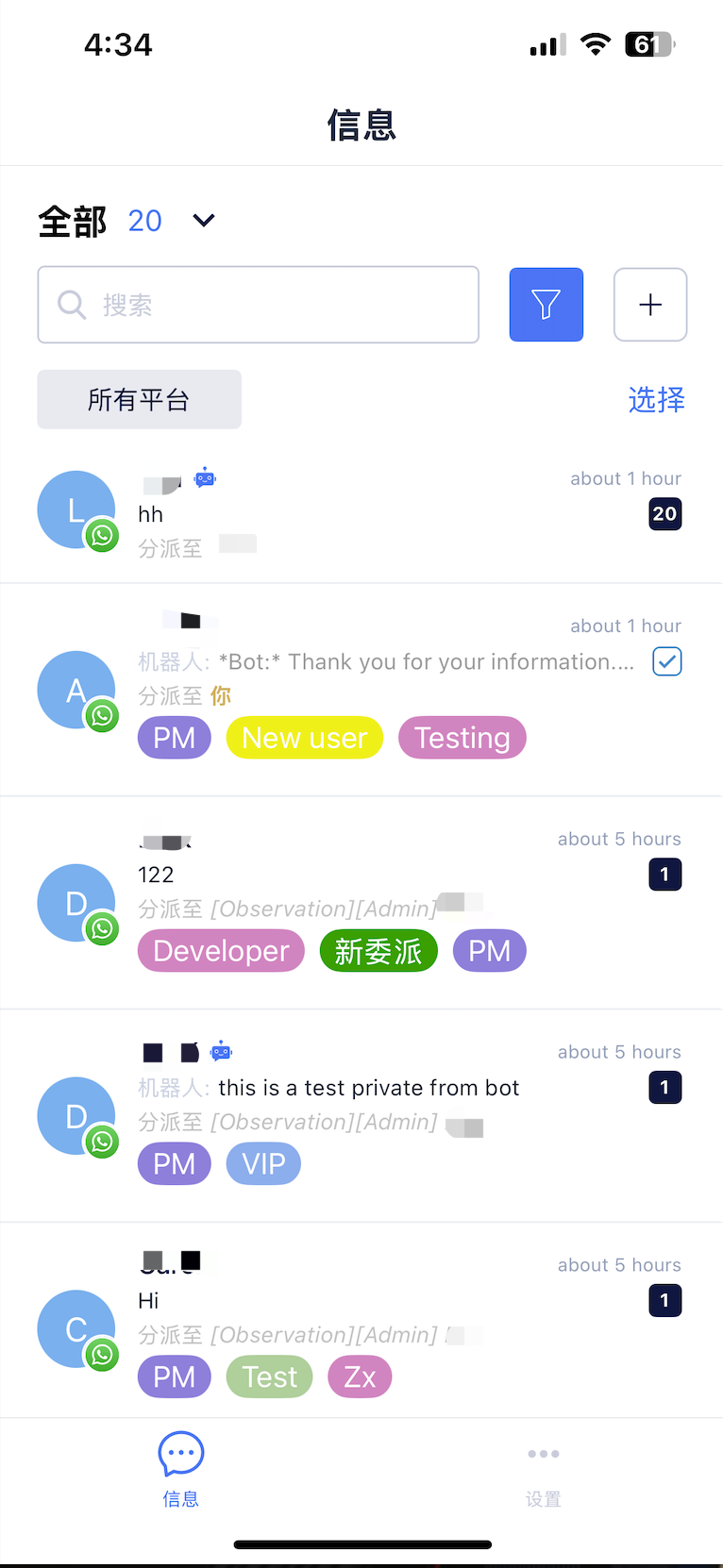
启用此选项可在对话列表上显示标签，以便更方便地管理对话。

<figure><img src="/files/w3uYPVFMQa2XvGOcYqlK" alt="" width="188"><figcaption></figcaption></figure>


---

# Agent Instructions: Querying This Documentation

If you need additional information that is not directly available in this page, you can query the documentation dynamically by asking a question.

Perform an HTTP GET request on the current page URL with the `ask` query parameter:

```
GET https://docs.chatalog.ai/zh-cn/chatalog_mobile_app/settings.md?ask=<question>
```

The question should be specific, self-contained, and written in natural language.
The response will contain a direct answer to the question and relevant excerpts and sources from the documentation.

Use this mechanism when the answer is not explicitly present in the current page, you need clarification or additional context, or you want to retrieve related documentation sections.