> For the complete documentation index, see [llms.txt](https://docs.chatalog.ai/llms.txt). Markdown versions of documentation pages are available by appending `.md` to page URLs; this page is available as [Markdown](https://docs.chatalog.ai/zh-cn/chatalog_mobile_app/download.md).
# 手机应用程序下载
### iOS 应用程序安装
下载 chatalog 应用程序到您的 iPhone,随时随地管理您的客户对话。
* **步骤 1:** 在您的 iOS 设备上打开 App Store
* **步骤 2:** 在搜索栏中搜索 "chatalog"
* **步骤 3:** 点击 "获取" 或下载图标安装应用程序
* **步骤 4:** 安装完成后,打开应用程序并使用您的 chatalog 凭证登录
您也可以扫描此 QR 码直接下载:
 或访问:
### Android 应用程序安装
在您的 Android 设备上使用 chatalog,随时与您的客户保持联系。
* **步骤 1:** 在您的 Android 设备上打开 Google Play 商店
* **步骤 2:** 在搜索栏中搜索 "chatalog"
* **步骤 3:** 点击 "安装" 下载应用程序
* **步骤 4:** 安装后,打开应用程序并使用您的 chatalog 账户登录
或者,扫描此 QR 码直接下载:
或访问:
### Android 应用程序安装
在您的 Android 设备上使用 chatalog,随时与您的客户保持联系。
* **步骤 1:** 在您的 Android 设备上打开 Google Play 商店
* **步骤 2:** 在搜索栏中搜索 "chatalog"
* **步骤 3:** 点击 "安装" 下载应用程序
* **步骤 4:** 安装后,打开应用程序并使用您的 chatalog 账户登录
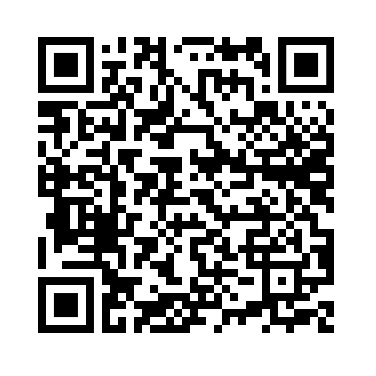
或者,扫描此 QR 码直接下载:
 或访问:
或访问: