> For the complete documentation index, see [llms.txt](https://docs.chatalog.ai/llms.txt). Markdown versions of documentation pages are available by appending `.md` to page URLs; this page is available as [Markdown](https://docs.chatalog.ai/zh-cn/broacast-setup/broadcast-whatsapp/how-to-send-whatsapp-broadcast.md).
# 如何推送WhatsApp 广播信息
### 新增广播信息
你的模板获得批准后,转到***广播页面*** 并***新增广播信息***。
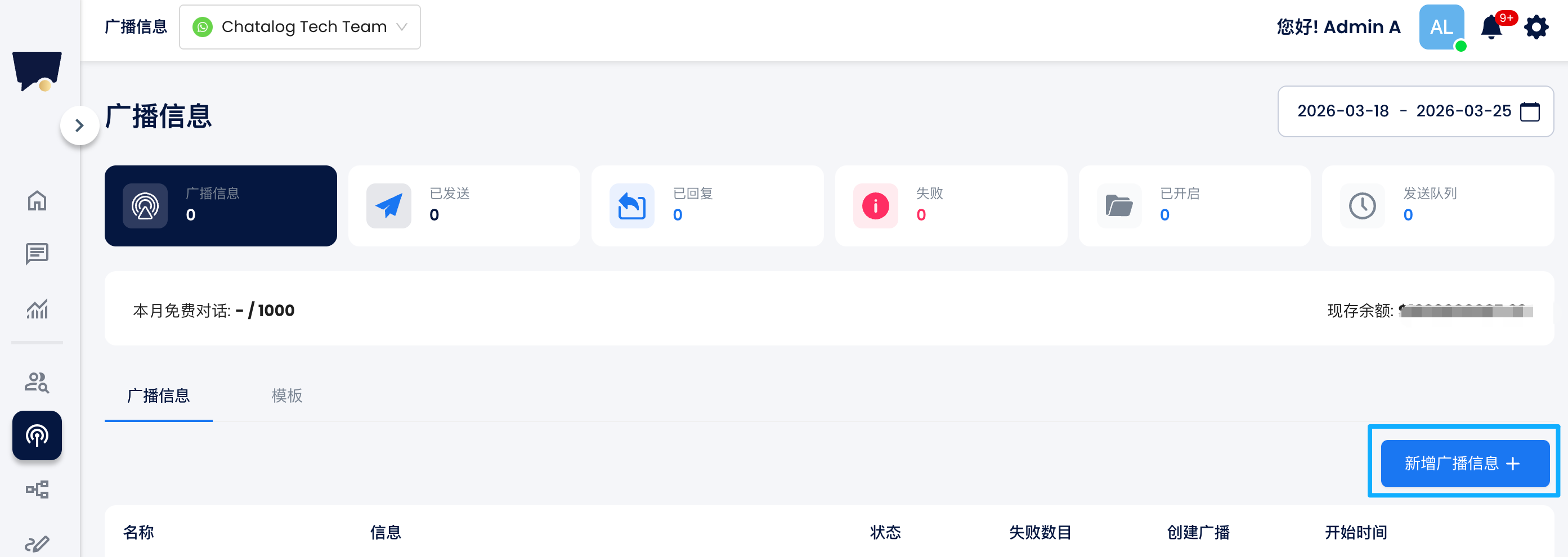
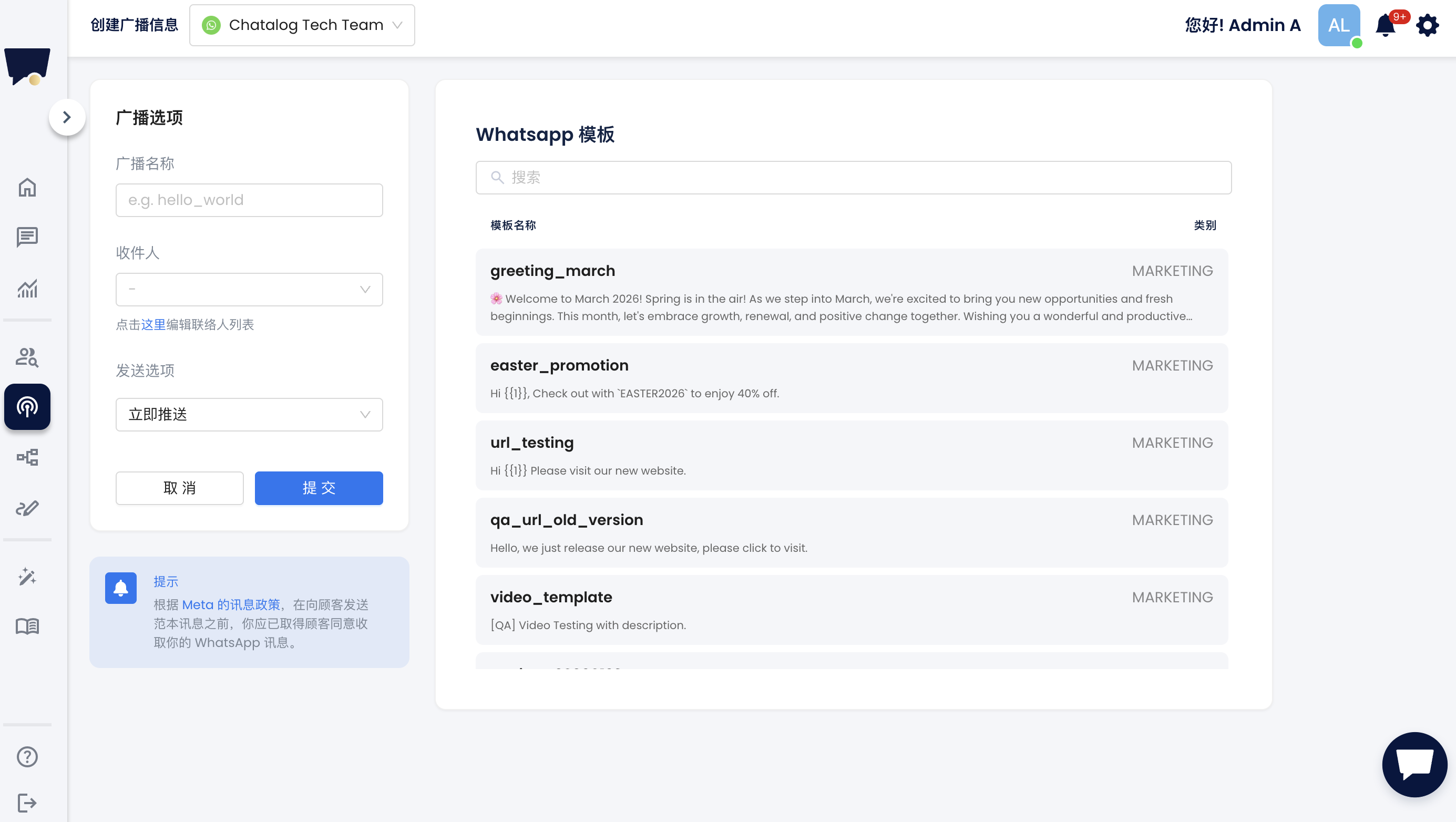 步骤 1:为群发广播命名。
步骤 2:选择广播的收件人列表。
步骤 3:点击模版选择您要广播的信息模板。
步骤 4:确定发送时间,立即推送还是预约推送。
步骤 5:完成后点击“提交”即可进行群发。
### 在广播中使用模板参数
当您选择的 WhatsApp 模板包含参数(例如 `{{1}}`)时,您需要在发送广播前填写对应内容。
***
#### 正文参数(Body Parameters)
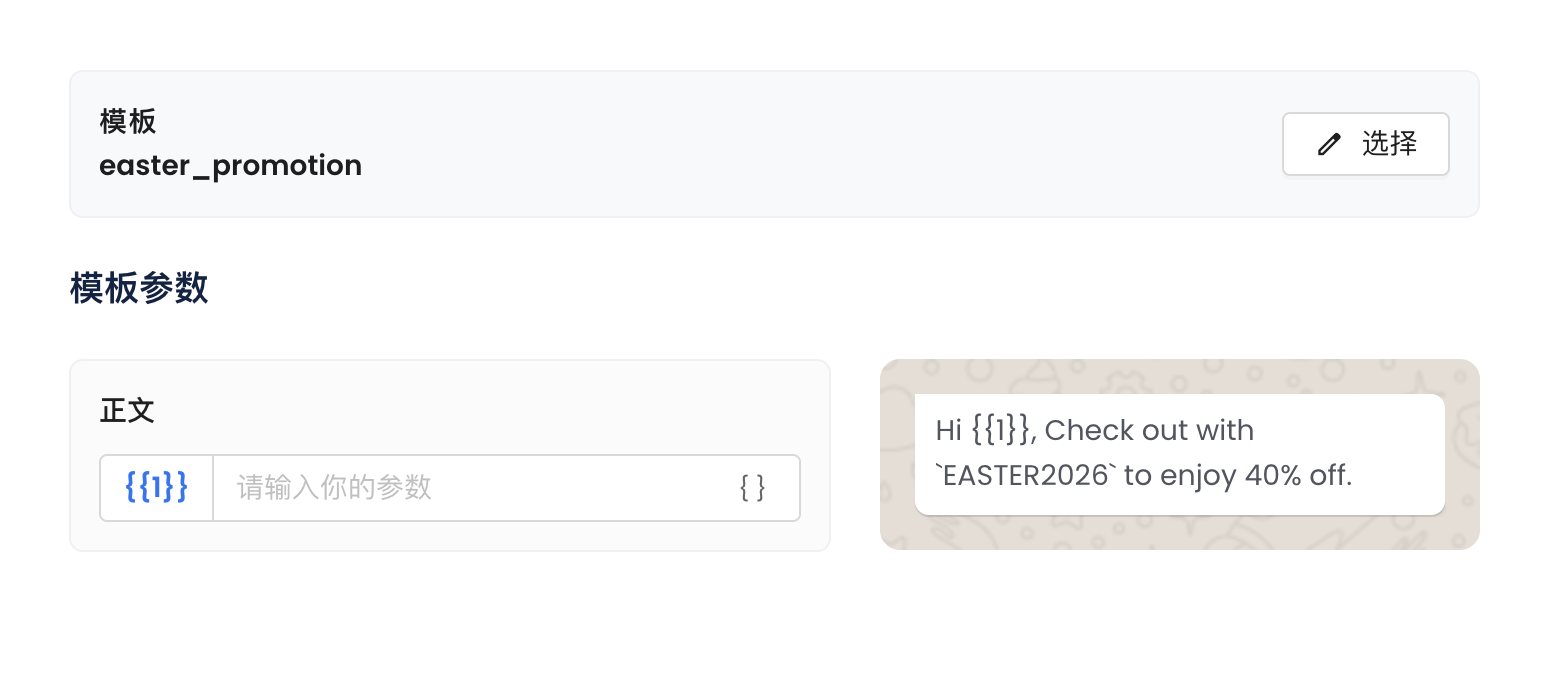
如果模板正文中包含变量(例如 `Hi {{1}}`),系统会在 **模板参数→ 正文** 显示对应字段。
**使用方式:**
1. 在 **模板参数→ 正文** 找到参数字段
2. 输入要替换变量的内容
3. 右侧预览会实时更新
步骤 1:为群发广播命名。
步骤 2:选择广播的收件人列表。
步骤 3:点击模版选择您要广播的信息模板。
步骤 4:确定发送时间,立即推送还是预约推送。
步骤 5:完成后点击“提交”即可进行群发。
### 在广播中使用模板参数
当您选择的 WhatsApp 模板包含参数(例如 `{{1}}`)时,您需要在发送广播前填写对应内容。
***
#### 正文参数(Body Parameters)
如果模板正文中包含变量(例如 `Hi {{1}}`),系统会在 **模板参数→ 正文** 显示对应字段。
**使用方式:**
1. 在 **模板参数→ 正文** 找到参数字段
2. 输入要替换变量的内容
3. 右侧预览会实时更新
 **示例:**
* 模板内容:`Hi {{1}}, check out our promotion`
* 输入:`John`
* 最终信息:`Hi John, check out our promotion`
**使用联系人数据(动态内容):**\
您可以使用自定义字段实现个性化:
* 格式:`{{customFields.fieldName}}`
* 示例:`{{customFields.firstName}}`
每位联系人会看到对应的个性化信息。
***
#### 按钮参数(Button Parameters)
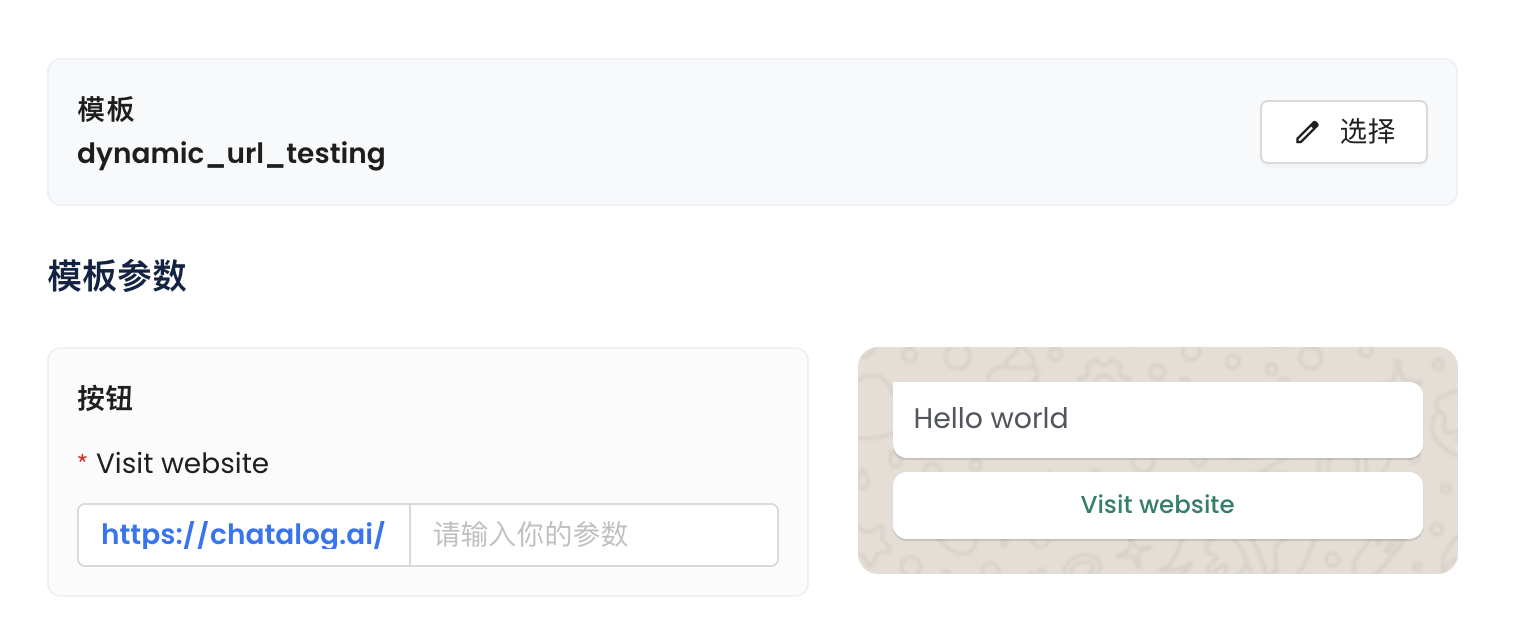
如果模板包含按钮(例如“Visit website”)且带有动态参数,您需要设置该按钮的参数值。
**使用方式:**
1. 前往 **模板参数→ 按钮**
2. 找到对应按钮(例如:Visit website)
3. 输入要拼接在链接后的参数
**示例:**
* 模板内容:`Hi {{1}}, check out our promotion`
* 输入:`John`
* 最终信息:`Hi John, check out our promotion`
**使用联系人数据(动态内容):**\
您可以使用自定义字段实现个性化:
* 格式:`{{customFields.fieldName}}`
* 示例:`{{customFields.firstName}}`
每位联系人会看到对应的个性化信息。
***
#### 按钮参数(Button Parameters)
如果模板包含按钮(例如“Visit website”)且带有动态参数,您需要设置该按钮的参数值。
**使用方式:**
1. 前往 **模板参数→ 按钮**
2. 找到对应按钮(例如:Visit website)
3. 输入要拼接在链接后的参数
 **示例:**
* 基础链接:`https://chatalog.ai/`
* 输入参数:`promo2026`
* 最终链接:`https://chatalog.ai/promo2026`
***
#### 注意事项
* 所有必填参数必须填写后才能发送广播
* 参数支持:
* 固定文本(所有联系人相同)
* 动态信息(例如自定义字段)
* 建议发送前通过右侧预览确认最终效果
**示例:**
* 基础链接:`https://chatalog.ai/`
* 输入参数:`promo2026`
* 最终链接:`https://chatalog.ai/promo2026`
***
#### 注意事项
* 所有必填参数必须填写后才能发送广播
* 参数支持:
* 固定文本(所有联系人相同)
* 动态信息(例如自定义字段)
* 建议发送前通过右侧预览确认最终效果